
Vor ein paar Tagen habe ich im Artikel Neues Google-Layout verschiebt die Suchoptionen über das geänderte Layout der Google Suchseite berichtet. Da zum einen mich selbst die neue Anordnung der Suchoptionen stört und zum anderen eine ganze Reihe Nutzer nach einer Möglichkeit suchen, die "alte Google-Suche" zurück zu bekommen, habe ich mich mit diesem Thema intensiver befasst.
Google wird sicherlich vorerst an dieser Änderung festhalten und bis dahin hilft ein nützliches Browser-Plugin weiter, dessen Einsatz sich für die Umstellung der Google Suchoptionen von oben zurück nach links hervorragend eignet.
Das Browser Add-on "Stylish" für Firefox und Chrome
Das Firefox Add-on Stylish von Jason Barnabe ermöglicht es, das Aussehen von Webseiten frei anzupassen. Hierfür wird lediglich zusätzlicher und direkt im Tool einfügbarer CSS-Code nachgeladen, der Teile des Original-CSS überschreibt und somit der Seite ein individuelles Erscheinungsbild gibt. Mit CSS (Cascading Style Sheets) ändert sich nichts an den Funktionalitäten einer Webseite, es wird lediglich das Aussehen beeinflusst. Praktisch jede Webseite im Internet greift auf CSS für die Gestaltung zurück.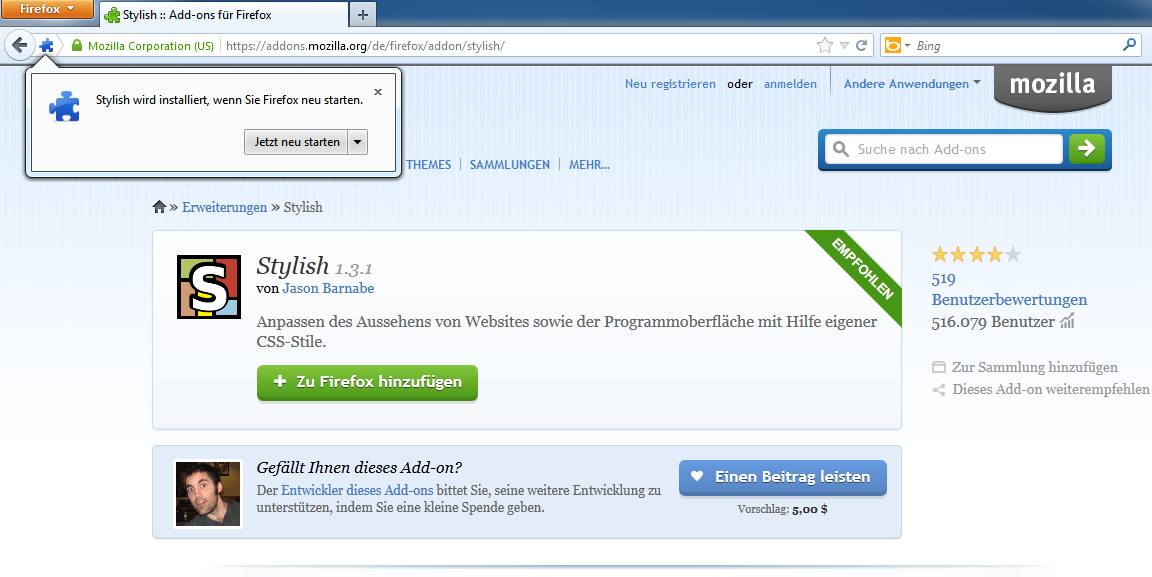
Stylish im Firefox nutzen
- das Firefox Add-on Stylish installieren und den Browser neu starten
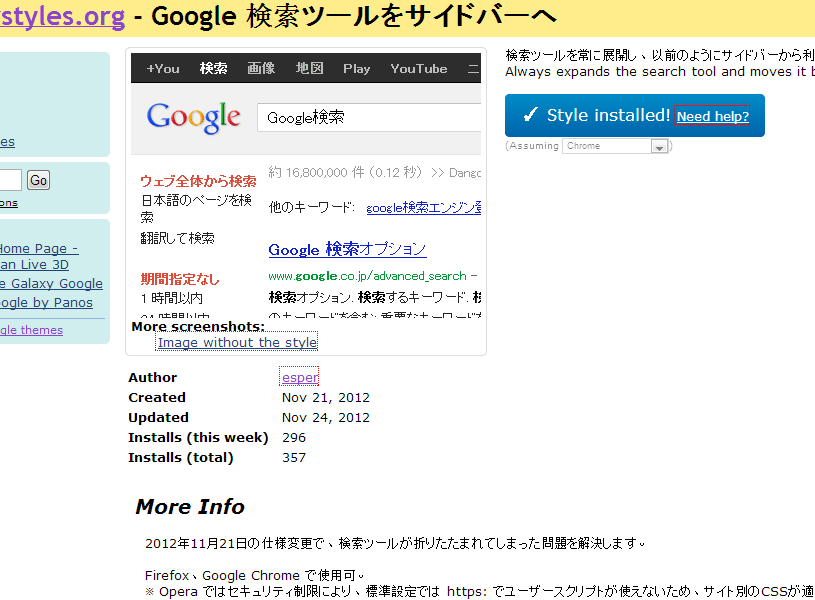
- den passenden Style (Google search tool to sidebar von Esper) für Stylish installieren
- Google Suchoptionen sind nun wieder auf der linken Seite; die zusätzlichen, neuen Filter sind natürlich auch hier vorhanden
Stylish im Chrome nutzen
- im Chrome Web Store nach Stylish suchen und hinzufügen
- den passenden Style (Google search tool to sidebar von Esper) für Stylish installieren
- die gewohnte Ansicht der Suchoptionen ist nun wieder auf der linken Seite
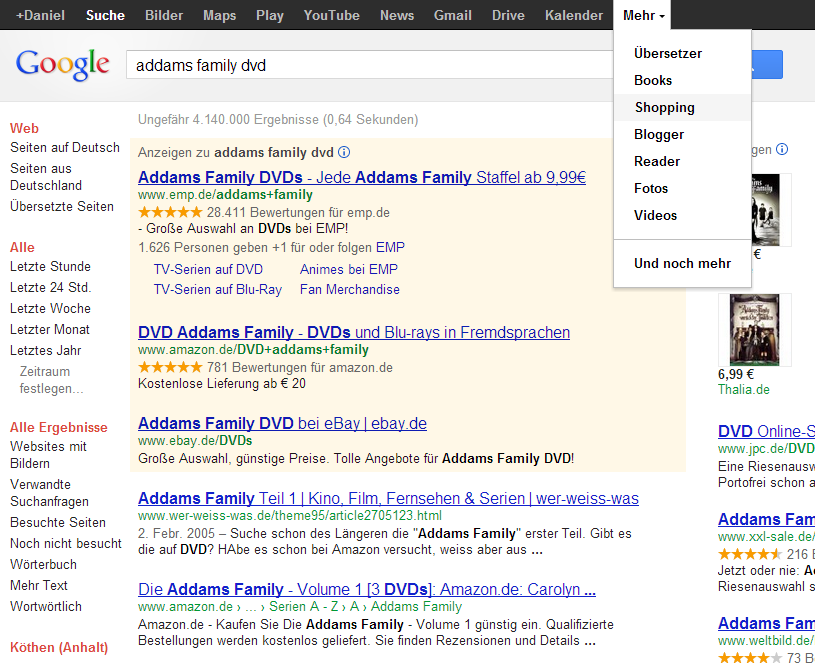
Stylish überschreibt mit folgendem CSS-Code Teile des Lyouts der Google-Suchseite
Ich habe diesen CSS-Code von Esper von den japanischen / chinesischen Zeichen befreit, sodass dieser nun auch von jedem selbst überarbeitet werden kann. [css] /** * Google Suchoptionen auf linke Seitenleiste * * Updated: 2012-11-21 * Author: esper * URL: http://userstyles.org/styles/78857/google * * Revised: 2012-11-30 by Daniel Weihmann * URL: https://www.redirect301.de/google-suchoptionen-wieder-links-anzeigen.html * * @version 1.1.2 * @license Creative Commons Attribution 3.0 Unported License */ @namespace url(http://www.w3.org/1999/xhtml); @-moz-document url-prefix("http://www.google."), url-prefix("https://www.google.") { /** * @section search window */ .tbo #gbq2 { margin-left: 156px !important; /* width +16px */ } /** * @section sidebar */ #top_nav { position: absolute !important; width: 140px !important; min-width: 0 !important; z-index: 2 !important; } #top_nav #hdtb { position: static !important; } /** * @section category */ #top_nav #hdtb #hdtbSum { position: static !important; height: 0 !important; border: none !important; } #top_nav #hdtb #hdtbSum #hdtb_msb * { color: #222222 !important; /* text color */ } #top_nav #hdtb #hdtbSum #hdtb_msb > div { display: block !important; /* vertical */ margin-left: 0 !important; } #top_nav #hdtb #hdtbSum #hdtb_msb > div:hover { background: #EEEEEE !important; } #top_nav #hdtb #hdtbSum #hdtb_msb > div a { display: block !important; } #top_nav #hdtb #hdtbSum #hdtb_msb > div:nth-of-type(-n+4), #top_nav #hdtb #hdtbSum #hdtb_msb #hdtb_tls { display: none !important; } #top_nav #hdtb #hdtbSum #hdtb_msb .hdtb_mitem.hdtb_msel { border-bottom: none !important; border-left: solid #DD4B39 5px !important; /* current category */ margin-left: 0 !important; } /** * @section I see more */ #top_nav #hdtb #hdtbSum #hdtb_msb #hdtb_more_mn { position: static !important; border: none !important; box-shadow: none !important; background: transparent !important; /* Google Chrome */ } #top_nav #hdtb #hdtbSum #hdtb_msb #hdtb_more_mn.hdtb-mn-c { display: none !important; /* when the button is not pressed more is hidden */ } /** * @section options */ #top_nav #hdtb #hdtbSum #ab_ctls { position: absolute !important; right: -812px !important; z-index: 4 !important; } /** * @section search tool */ #top_nav #hdtb #hdtbMenus { display: block !important; height: auto !important; padding-left: 10px !important; position: static !important; clear: both !important; } #top_nav #hdtb #hdtbMenus .hdtb-mn-cont { height: auto !important; white-space: normal !important; } #top_nav #hdtb #hdtbMenus .hdtb-mn-cont #hdtb-mn-gp, #top_nav #hdtb #hdtbMenus .hdtb-mn-cont .hdtb-mn-hd { display: none !important; /* to hide the left margin, the label of the menu button */ } /** * @section drop-down menu */ #top_nav #hdtb #hdtbMenus .hdtb-mn-cont .hdtbU { white-space: normal !important; display: block !important; position: static !important; border: none !important; margin-bottom: 10px !important; box-shadow: none !important; min-width: 0 !important; } /** * @section items in the drop-down menu */ #top_nav #hdtb #hdtbMenus .hdtb-mn-cont .hdtbU .hdtbItm, #top_nav #hdtb #hdtbMenus .hdtb-mn-cont .hdtbU .hdtbItm a, #top_nav #hdtb #hdtbMenus .hdtb-mn-cont .hdtbU .hdtbItm .q { color: #222222 !important; padding: 0 0 2px !important; } #top_nav #hdtb #hdtbMenus .hdtb-mn-cont .hdtbU .hdtbItm a:hover { background: transparent !important; text-decoration: underline !important; } #top_nav #hdtb #hdtbMenus .hdtb-mn-cont .hdtbU .hdtbItm.hdtbSel { color: #DD4B39 !important; /* currently selected item */ font-weight: bold !important; background: transparent !important; } /** * @section specified during */ #top_nav #hdtb #hdtbMenus .hdtb-mn-cont .hdtbU .hdtbItm .cdr_sep { display: none !important; /* horizontal */ } #top_nav #hdtb #hdtbMenus .hdtb-mn-cont .hdtbU .hdtbItm #cdrlnk { color: #777777 !important; padding-left: 10px !important; } /** * @section you are here specified */ #top_nav #hdtb #hdtbMenus .hdtb-mn-cont .hdtbU .hdtbItm.hdtb-loc { border: none !important; } #top_nav #hdtb #hdtbMenus .hdtb-mn-cont .hdtbU .hdtbItm.hdtb-loc #lc-input { width: 80% !important; -moz-box-sizing: border-box !important; box-sizing: border-box !important; } #top_nav #hdtb #hdtbMenus .hdtb-mn-cont .hdtbU .hdtbItm .fl { text-decoration: underline !important; color: #777777 !important; } /** * @section minimum size */ #top_nav #hdtb #hdtbMenus .hdtb-mn-cont .hdtbU .hdtbItm .tnv-lt-m::after { content: ""; border-color: transparent #909090 !important; border-style: solid !important; border-width: 4px 0 4px 4px !important; display: inline-block !important; width: 0 !important; height: 0 !important; margin-left: 20px !important; } #top_nav #hdtb #hdtbMenus .hdtb-mn-cont .hdtbU .hdtbItm .tnv-lt-arw { display: none !important; } #top_nav #hdtb #hdtbMenus .hdtb-mn-cont .hdtbU .hdtbItm .tnv-lt-sm { left: 50px !important; } #top_nav #hdtb #hdtbMenus .hdtb-mn-cont .hdtbU .hdtbItm .tnv-lt-sm .hdtb_mitem { font-weight: normal !important; } #top_nav #hdtb #hdtbMenus .hdtb-mn-cont .hdtbU .hdtbItm .tnv-lt-sm .hdtb_mitem.hdtbSel { font-weight: bold !important; background: transparent !important; color: #DD4B39 !important; } /** * @section number of hits */ #appbar { border-bottom: 1px solid #EBEBEB !important; } #appbar .ab_tnav_wrp { margin-left: 140px !important; /* width of the side bar */ } /** * @section search result */ #hdtb_msb > .hdtb_mitem:first-child, .ab_tnav_wrp, #cnt #center_col, .mw #center_col, .mw #foot { margin-left: 140px !important; /* width of the side bar */ } } [/css]Optionale Anpassung des Styles
Zumindest den Namen des Styles würde ich in deutsch bzw.englisch abändern. Wer möchte, kann natürlich auch eigene Anpassungen des CSS-Codes vornehmen oder den Geltungsbereich (für welche URLs dieser Code gelten soll) ändern.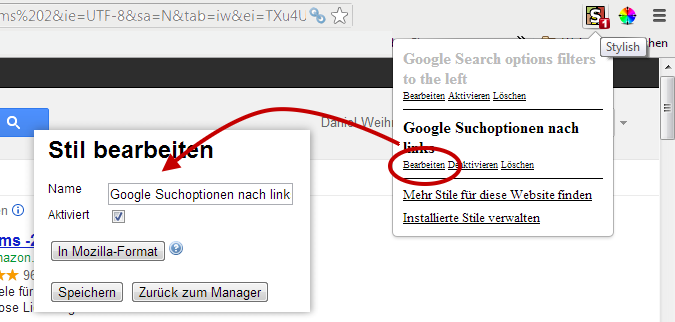
Kommentararchiv 14
14 Kommentare von Lesern, die ihre Erfahrungen und Loesungen geteilt haben.